On this page
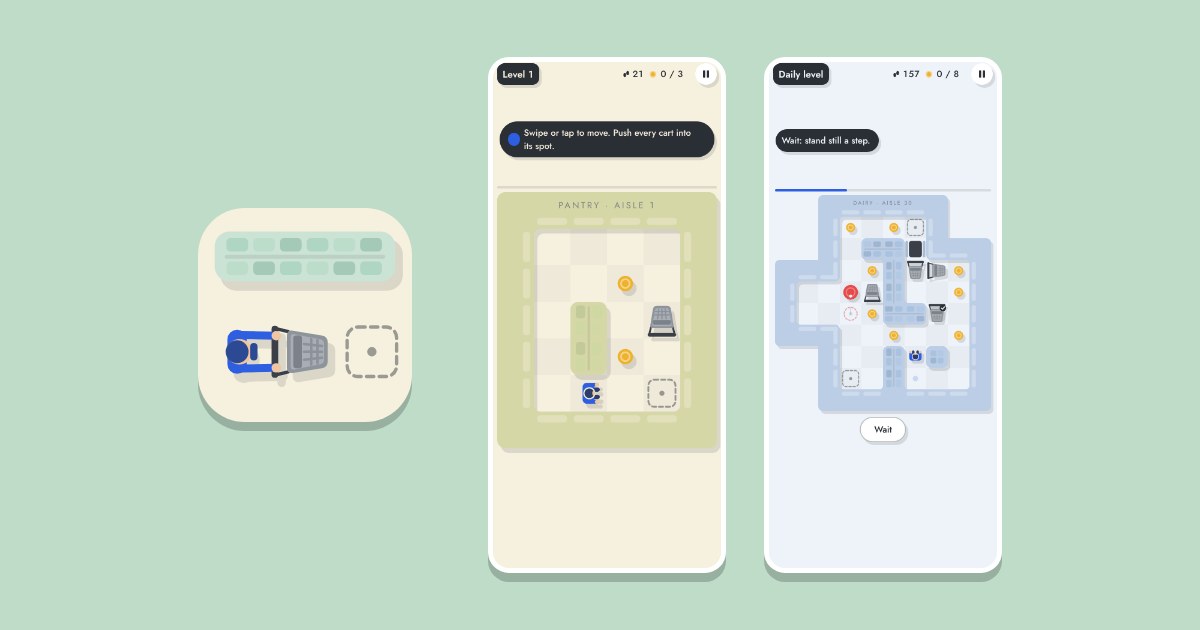
Cart Jam is a puzzle about pushing shopping carts around a small supermarket, free in your browser with no download and no account. You are the stock clerk. You walk one step at a time, and walking into a cart pushes it one cell if the cell behind it is free. Put every cart on a dashed spot and the room is done. This note describes version 0.4, and you can play Cart Jam in another tab while you read.
You can push a cart but never pull it, so a cart pushed into a corner stays there for good.
How do you walk and push? #
On a phone or tablet you have three ways, and you can mix them:
- Swipe the way you want to go. Each swipe is one step, and keeping your finger down walks on.
- Tap a cell to walk there.
- Tap a cart that is in line with you to walk up to it and push it once.
On a computer, use the arrow keys or W, A, S, D, and hold one to keep walking. Space starts a try and starts the next one after a loss. P or Escape pauses. In the menu, the left and right arrows change the level, and Space or Enter plays.
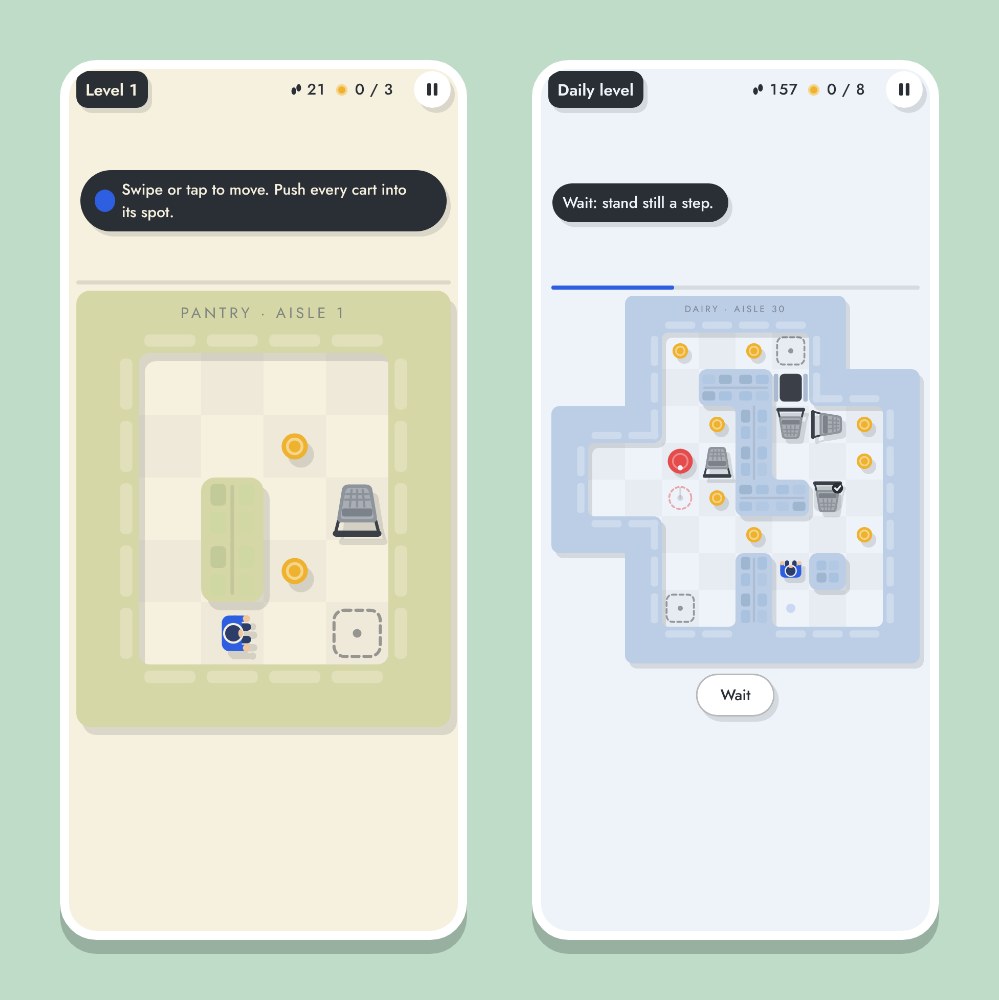
Each room gives you a set number of steps, shown at the top next to the footprints. Run out and the try ends. The counter turns red when few are left. Next to it, the coin counter shows how many coins you have picked up of those laid in the room.
Rooms with cleaning robots add one more control. A robot takes one step along its route every time you take one, and a dashed ring shows where it will be next. Stepping onto its cell, or swapping places with it, ends the try. The Wait button under the room (Space on a keyboard) lets you stand still for a step while the robots move.
Cart Jam plays in English and in Spanish, where it goes by Changuitos. It starts in the language you use on the site, and EN and ES at the top of its menu switch between them.
What gets a cart stuck? #
A cart in a corner can never leave it, and neither can one that sits against a shelf it can't slide away from. After a move, the game checks whether the room can still be won. When it can't, the try ends and the carts that can no longer reach a spot are marked. One tap, or Space, starts again.
Before you push a cart toward a wall, ask where it can go from there. The cell you push it into has to leave a way out, unless that cell is its spot. The store is laid out again every time you play, and the game's own solver has finished each room before you see it, so every room can be won.
The Spotter upgrade in the store helps with this. At level 1 it marks the dead corners. From level 2 it marks every cell along the walls that no cart could leave toward a spot. At level 3 it asks before a push into a trap: the cart shakes, and pushing the same way again right away goes ahead. Level 4 also sees jams, and level 5 sees every dead end.
What are the modes? #
- Levels. Numbered, and they never run out. A level's number sets how many carts there are and how far they have to travel. Ten levels make a world, and each world is a section of the store (pantry, produce, dairy, drinks, frozen) with its own colours and music. The ninth level of a world is marked hard in the menu.
- Daily. One room a day, the same for every player. A new one arrives at midnight UTC. Its difficulty runs from level 18 to level 36, depending on the weekday.
- Endless. Rooms one after another, each three levels harder than the last, starting from level 1, until one beats you. Your score is how many rooms you cleared. Endless has no stars, and its coins are paid when the run ends.
The first levels are small on purpose, so a newcomer wins them. Further on, new things join in, a few at a time, each with a short line the first time you meet it:
| Thing | From level | What it does |
|---|---|---|
| Cleaning robots | 10 | Move one step when you do |
| Hatches | 16 | Push a cart in to fill one, then walk across |
| Coloured carts | 22 | Each goes to a spot of its own colour |
| Checkout barrier | 28 | Stays up while a cart sits on its scale |
| Runaway carts | 34 | Once pushed, they roll until something stops them |
| One-way arrows | 40 | You and the carts cross only the way they point |
Two robots at once arrive at level 46, and three colours of carts at level 52.
How do stars and coins work? #
Every level has three stars:
- Finish it.
- Collect every coin laid on it.
- Finish it on the first try.
When you finish a level, you pick one reward for your stars. Each star pays 10% more of that play's coins right away, or 10% more steps at the start of your next play. The daily level has stars too.
The coins lie along one way through the room, so you can follow them when you are unsure. The coins you pick up are kept even when a try ends. Finishing a level pays a prize of 20 coins on top. What a coin is worth rises with the world: the menu shows it under the level number ("Coins worth ... each"). Prices in the store grow with your coin level.
What does the store sell? #
You spend coins in four sections of the store:
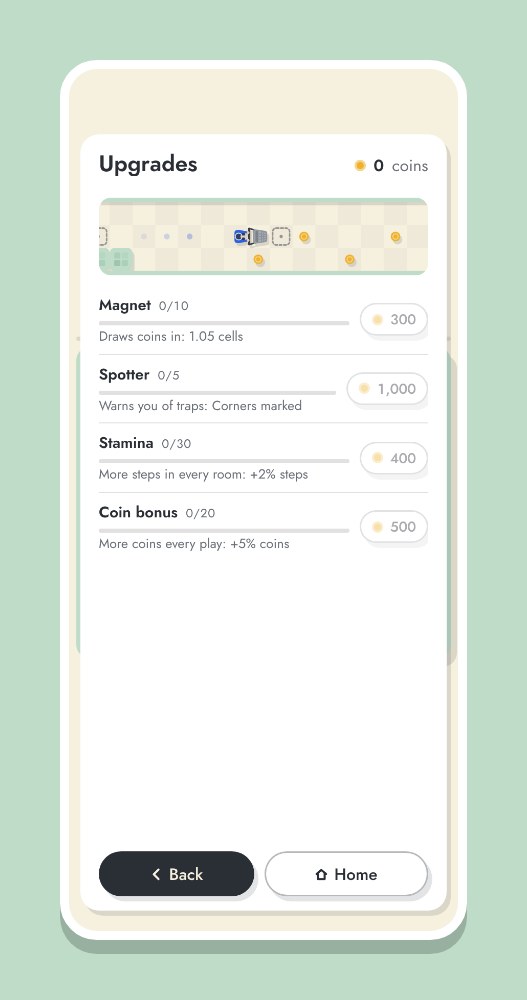
- Upgrades. Magnet draws coins in from further away, Spotter warns you of traps (above), Stamina adds 2% more steps in every room for each level, and Coin bonus adds 5% more coins for each level. Each level costs more than the last, and further levels open as you reach further levels.
- Boosts. Shields, Guardian, Endurance and a coin multiplier. A shield takes back the push that got a cart stuck or the step that met a robot, or gives you more steps when they run out, and you can hold up to 9. Guardian gives you a free shield in every room for good, and Endurance adds 50% more steps in every room for good. After a loss without a shield, the game offers a retry with one if you have the coins.
- Looks. New clerks, trails and backgrounds. They change nothing about how the game plays. Reaching a new level opens one, and others open by time played, stars, daily levels or rooms in Endless. Some are free gifts when they open, and the rest are for sale.
- Coins. Packs for your wallet, which appear only when the site sells them.
Does it save my progress? #
As a guest, your progress, coins and settings are saved in this browser on this device only. Clearing the site's data for your browser erases them. With a free account, they follow you to every device where you sign in: see your account page. The leaderboard ranks players with an account, by furthest level and stars, and by the most rooms cleared in Endless. With the theme on auto, the game is light by day and dark by night where you are.
To keep Cart Jam one tap away, see how to add browser games to your home screen. We wrote a launch note like this one for Snakey, our snake game.